Office Action Drafting
Start every Office Action response from a first draft, not a blank page.
GleanMark reads the letter, pulls the cited registration and the register evidence, finds comparable responses that succeeded, and writes a response to every issue with the exhibits attached. It is usually ready in minutes. You choose the arguments, edit it, and file it.
Starter includes 1 draft a month, Professional 3 per seat, and Max unlimited. The 7-day trial includes 3.
- A response to every issue in the letter, refusals and requirements alike.
- The registrations it relies on, attached as lettered exhibits.
- Yours to edit and to file. GleanMark never files for you.
The usual way
Before the argument comes the assembly.
The record, by hand
Opening TSDR for the cited registration: its owner, the goods exactly as filed, the dates. Then finding the other registrations that share the word, and printing each one.
The hunt for what worked
Looking for other applications refused the same way, by the same examiner or over the same registration, and reading what their attorneys filed back.
The blank page
Starting from an old brief, rewriting it for this mark, these goods and this examiner, then building the exhibit list and the index by hand.
With GleanMark
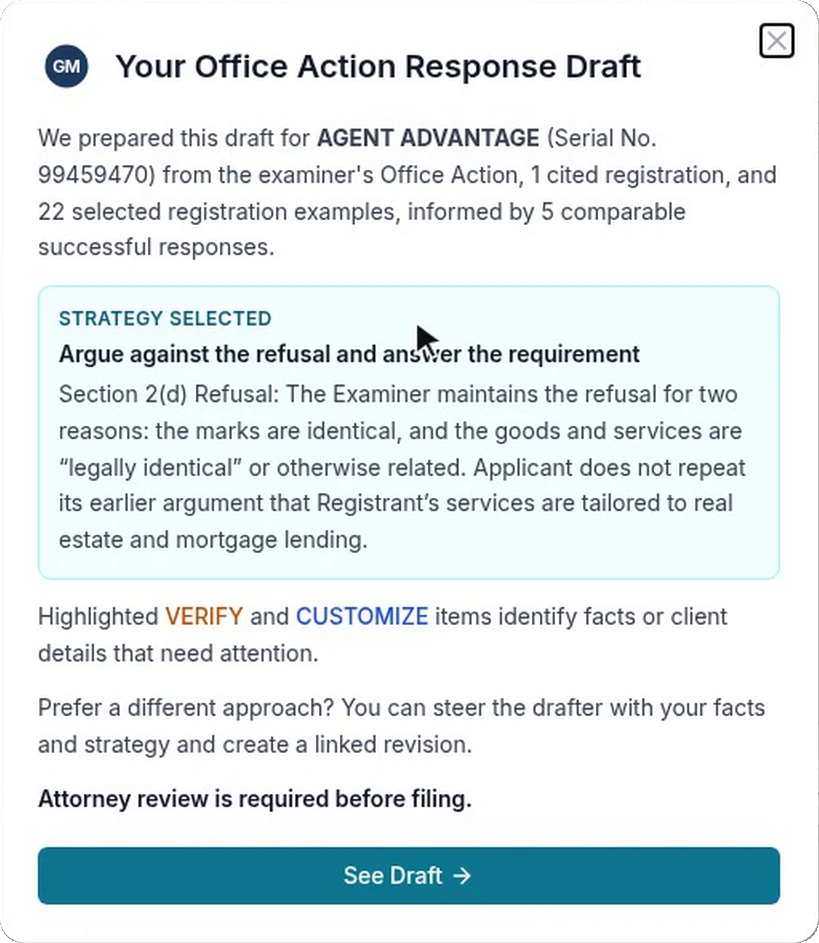
The research done and the first draft written. Your time goes to the judgment calls.
What every draft gives you
- A response to every issue in the letter, refusals and requirements alike
- The register evidence it argues from, and comparable responses that succeeded
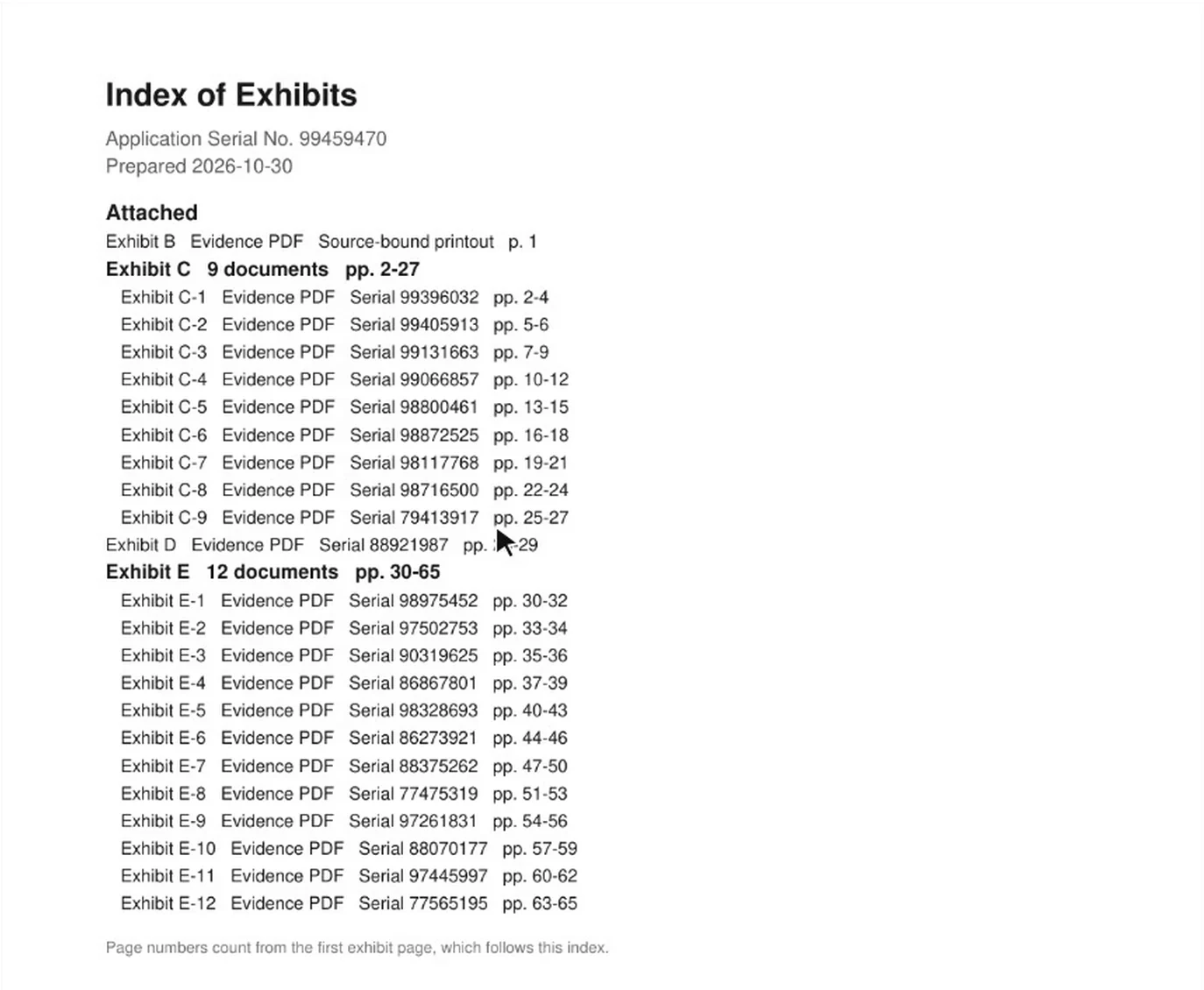
- The registrations it relies on, attached as lettered exhibits behind an index
- Items to verify or customize, marked issue by issue, before you file
- Text and tables you edit in place, each save kept as a version
How it works
From the Office Action to a draft you can edit.
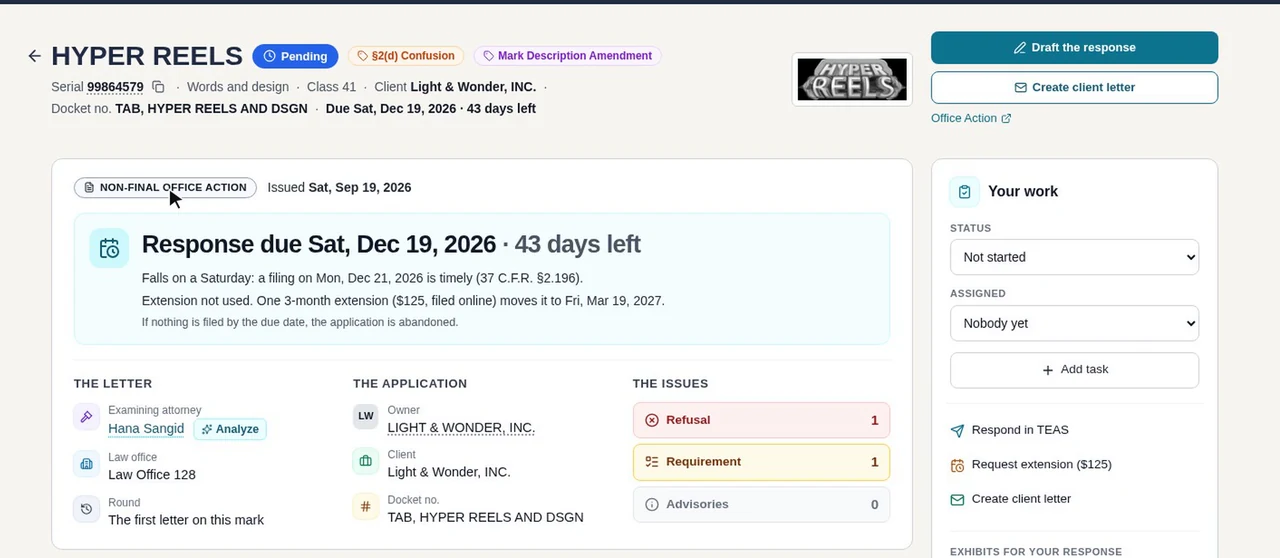
Start from the Office Action
Choose Draft the response on the Office Action’s page in GleanMark, or enter the serial number in Response Drafts. You can close the window and keep working while it drafts.
The research, with the exhibits attached
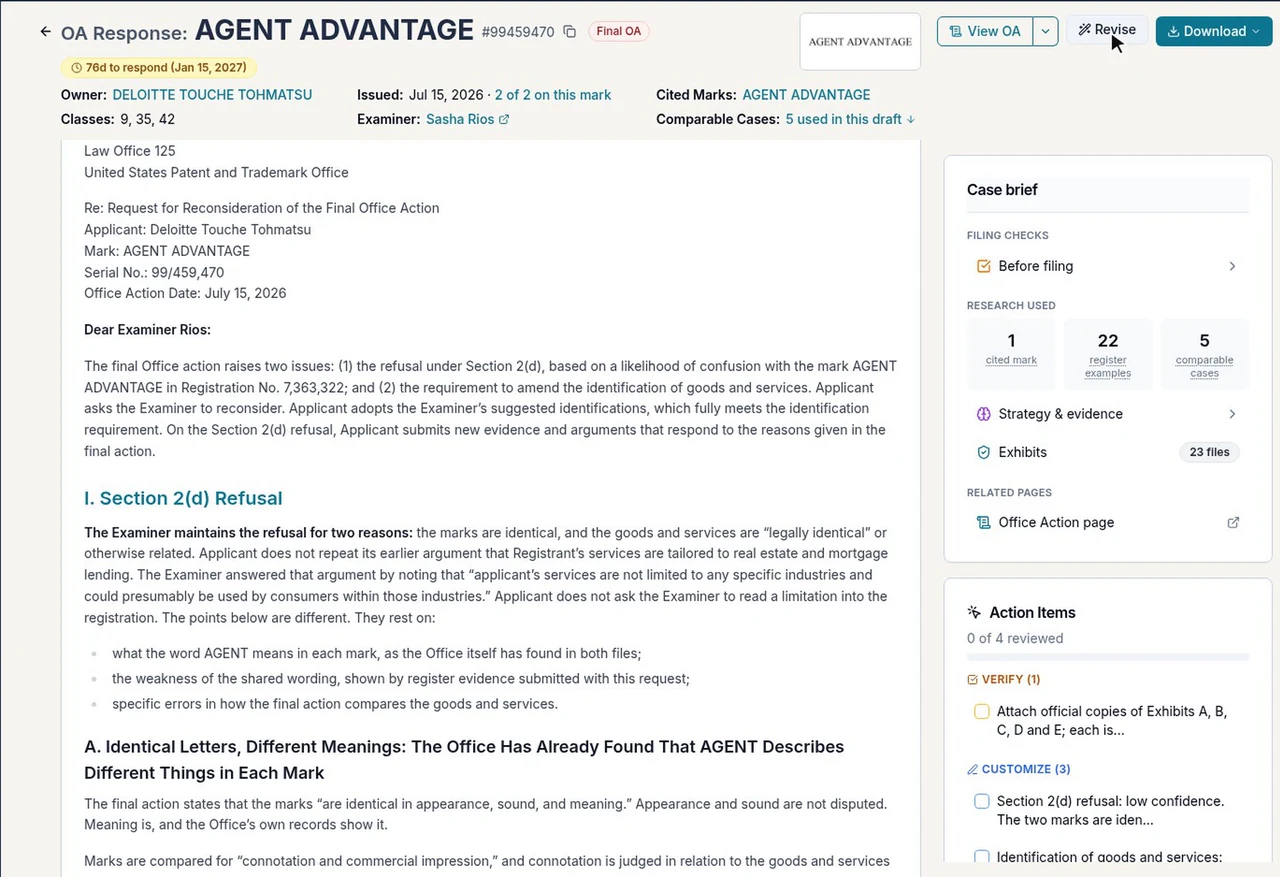
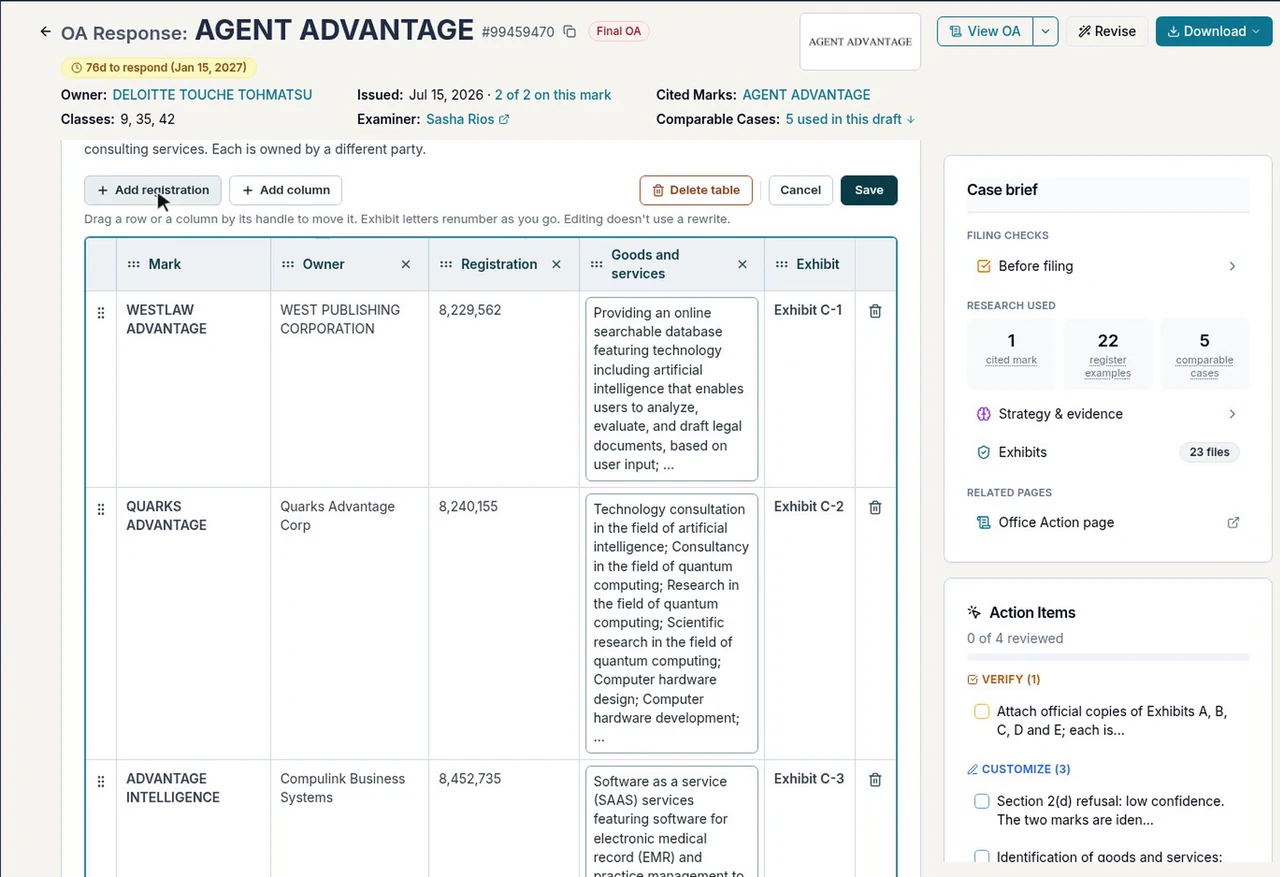
The draft argues from the register: the cited registration, register examples set out in tables with their owners and goods, and comparable responses that succeeded. The case brief beside it counts what it used.
Every registration it relies on comes as a lettered exhibit, and the set downloads as one PDF behind an Index of Exhibits. For web pages, screenshots or your own files, make exhibits with cover pages.
Edit it in place, then download it
Change the text, or add, remove and reorder rows in its tables. Exhibit letters renumber as you go, and each save is kept as a version. Prefer another approach? Steer the drafter with your facts and strategy, and it writes a linked revision.
Then download it as Word or PDF, and file it yourself in TEAS.
“When we first get an office action, I can plug it right in and see what the drafting comes up with. Does it make sense? Do we have a strong argument? Sometimes it’s like, wow, okay, we have a better argument than I thought.”
See what a draft looks like
A real draft GleanMark wrote on a closed 2025 Office Action: the response’s own table of contents, the register evidence it argues from, its exhibits and its before-you-file list.
Response to Office Action
Serial No. 99081966 · Mark: THRIVED
- I. Introduction
- II. The Marks Are Dissimilar in Their Entireties
- III. The Services as Identified
- IV. Trade Channels and Purchasers
- V. The Cited Mark Is Entitled to Only a Narrow Scope of Protection (du Pont Factor Six)
- VI. Prior-Filed Application Advisory
- VII. Conclusion
THRIVED
Section 2(d) likelihood of confusion · Class 42 · refused over THRIVE GLOBAL
The draft argues the marks differ in their entireties, then shows the cited mark deserves only a narrow scope: 24 THRIVE-formative registrations from 21 owners in Class 42 and related software fields, and the bare word THRIVE already registered alongside THRIVE GLOBAL. It attaches 29 USPTO record printouts in 3 exhibits and ends with a 9-item before-you-file checklist.
One more thing it did on its own: it checked the case status, saw the applicant had already responded, and marked this draft as a comparison, not for filing. A starting point for attorney review, not a substitute for it.
Draft one for your office action“I view GleanMark as a tool that supports and accelerates my legal analysis rather than replacing the attorney's judgment.”

Watch a draft in the product tour
The AI-drafted response to AGENT ADVANTAGE’s final Office Action, then its exhibits. Starts at 4:30.
What GleanMark does, and what it leaves to you
GleanMark
- Reads the Office Action and answers each issue, in the letter’s order.
- Pulls the cited registration, register examples and comparable responses that succeeded.
- Attaches the registrations it relies on as exhibits, with an index.
- Marks what to verify or customize before you file.
You
- Choose which arguments to make.
- Edit the draft, or steer a revision.
- File the response, in TEAS.
Questions attorneys ask
Draft your next Office Action response.
The 7-day trial includes 3 drafts. Or book a demo and we’ll draft one with you.